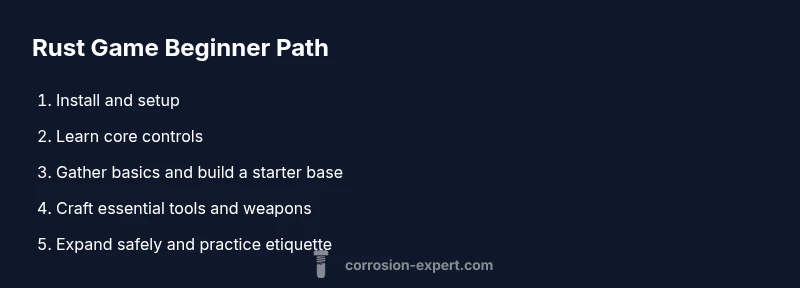
How to Get Started with Rust Game
Learn how to start playing Rust game, from PC requirements and setup to early milestones, crafting basics, base-building, and safety tips for new survivors.


Start here: you’ll learn how to get into Rust game, from installing the game and joining a server to mastering basic survival, crafting, and base-building. The quick guide covers hardware prerequisites, setup steps, early milestones, and practical tips for safe online play. You’ll also spot common mistakes to avoid on your very first session.
What is Rust Game?
Rust is a multiplayer survival game set on a rugged island where players gather resources, craft tools, and contend with the elements, wildlife, and other players. For beginners, the best approach is to break tasks into small, achievable goals: learn the map, master the core controls, and progress gradually. According to Corrosion Expert, getting started with rust game mirrors learning a new skill—plan, practice, and stay patient. This section provides a clear overview of what to expect and how to structure your first sessions so you can enjoy the experience without feeling overwhelmed. By the end, you should have a workable plan for your first day and a sense of the milestones that matter most to new survivors.
System requirements and installation
Before you drop into the island, confirm your platform and system meet the basics. On PC, Rust runs on Windows and Linux with modest hardware needs, but a mid range rig will deliver a smoother experience. Ensure you have a stable internet connection since the game is primarily online. Create or link your account on your platform store, then purchase or enable the game and download the latest patch. A clean install and up to date drivers reduce crashes and improve hit registration. Console players should follow their store process and note that control schemes may differ. Start with the lowest graphics preset to gauge performance, then gradually increase texture quality as your system handles it. This groundwork keeps your first day friction free and fun.
Mastering the basics: movement, inventory, and UI
Getting comfortable with the basics is essential. Learn the movement controls like sprinting, crouching, and jumping, then practice navigation and sprinting in safe zones. Open your inventory to understand the hotbar, health, hunger, and hydration indicators, and learn how to equip items quickly. The UI can be overwhelming at first; focus on a small subset of actions you perform often—gathering, crafting, and building. A simple habit is to map frequently used items to your hotbar for faster access, which saves precious minutes during early survival runs.
Early goals: survive, gather, and build a starter base
Your first day centers on three core ambitions: stay alive, collect essential resources, and establish a tiny but functional shelter. Start with wood and stone, craft a basic hatchet, and use it to harvest more resources efficiently. Build a small, lockable shelter to protect your gains and serve as a safe storage point. As you accumulate basics, you’ll unlock more crafting recipes and upgrade to sturdier defenses. Don’t worry about perfect bases; the aim is a durable starter that you can expand as you learn.
Crafting, resource management, and progression
Crafting is the backbone of progress in Rust game. Start with simple tools and weapons, then unlock more complex recipes as you gather experience and resources. Manage your inventory by prioritizing essential items first and keeping a small stash of building materials. Progression comes from learning which items are worth creating next, how to balance risk versus reward during forays, and when to relocate to safer or more resource-rich areas. Consider maintaining a basic log of your discoveries and builds to reinforce what works best for your playstyle.
Multiplayer etiquette and safety
Playing on public servers requires awareness of etiquette and safety. Respect other players, avoid unnecessary griefing, and communicate clearly when teaming up. Be mindful of hackers or exploiters; use approved servers and report suspicious behavior. Protect your loot by keeping valuables in a secure location and logging out in a safe spot when you need rest. Remember that teamwork often yields faster progress, but you should always verify you trust teammates before sharing resources.
Performance, troubleshooting, and optimization
If you experience stuttering or long load times, adjust in game settings to balance visuals and performance. Lower draw distance, shadows, and texture quality can significantly improve frame rates on mid range PCs. Update your graphics drivers and verify game files to fix corrupted data. If issues persist, trim background processes, disable overlays, and consider a wired Ethernet connection for stability. Regular updates from the game and platform can also introduce fixes that improve stability.
Next steps: turning a beginner into a confident survivor
After the first day, set progressive goals such as expanding your base, mastering a few crafted items, and practicing resource management during several sessions. Join a friendly community or guide you through organized events to accelerate learning. Keep a simple log of what you try, what works, and what to revisit. With consistent practice, you’ll move from basic survival to confident exploration and structured base-building. As you gain experience, refine your strategies and adapt to server rules and player dynamics.
Authority sources
Useful external references for game mechanics, performance tips, and safety best practices:
- https://www.pcgamer.com
- https://www.theverge.com
- https://www.nytimes.com/topic/section/games
Tools & Materials
- PC or compatible gaming console(Ensure hardware meets minimum requirements and is up to date)
- Steam/Epic Games account(Create or link to access the game store and downloads)
- Rust game (PC/Console)(Install from your platform store and apply patches)
- Stable internet connection(Online play and updates require reliable bandwidth)
- Headphones with mic(Helpful for team communication)
- Optional: in-game tutorials or beginner guides(Speed up learning curve)
Steps
Estimated time: 2-4 hours
- 1
Install the game
Purchase or enable the game on your platform, download the latest patch, and verify files if possible. Start with a clean install to avoid conflicts from older data.
Tip: Check disk space and drive health before installation. - 2
Create your persona and adjust settings
Set up your character, assign a comfortable control scheme, and tailor the graphics to balance performance with visuals.
Tip: Use lower graphics settings first to reduce lag. - 3
Join a server and learn the basics
Choose a beginner-friendly server, join with a simple faction or solo mode, and practice movement, looting, and basic crafting.
Tip: Avoid high-risk zones on your first runs. - 4
Collect essential resources
Harvest wood and stone, craft a hatchet, and gather tools for early survival while avoiding dangerous areas.
Tip: Prioritize your first shelter and storage space. - 5
Build a starter shelter
Lay out a small base, secure a door, and store your resources safely inside. Plan for expansion as you learn more.
Tip: Place your base in a relatively quiet spot to reduce raiding risk. - 6
Experiment with crafting and progression
Try basic tools and weapons, track which items help you survive, and gradually unlock more complex recipes.
Tip: Keep crafting goals manageable to avoid resource drain. - 7
Develop a safety and etiquette routine
Communicate with teammates, report suspicious players, and choose servers with clear rules to avoid griefing.
Tip: Always back up valuables before leaving a session. - 8
Review and iterate
After each session, note what worked, what didn’t, and adjust your approach for the next run.
Tip: Maintain a short log of lessons learned.
Quick Answers
Is Rust Game free to play on all platforms?
Rust is typically a paid title on most platforms; check your store for current pricing and promotions.
Rust usually costs money on most platforms; check your store for the latest pricing.
Do I need a high-end PC to play?
You don’t need the latest hardware, but a mid-range PC with a solid internet connection provides a smoother experience.
A mid-range PC is usually sufficient if you also use stable internet.
What is the best way to learn quickly?
Start with a beginner-friendly server, focus on basic survival goals, and follow a simple progression path of gathering, crafting, and building.
Begin with a friendly server and a simple plan: gather, craft, build.
Can I play Rust Game solo?
Yes, solo play is possible, but teaming up with others can speed up progress and provide safer exploration.
You can play solo, but teaming up often helps you survive longer.
What should I do if I encounter a problem or crash?
Verify game files, update drivers, and check forums for patches. If issues persist, adjust graphics or reinstall.
Verify files, update drivers, and check patches if you get a crash.
Watch Video
Quick Summary
- Start small and build up gradually
- Master basic controls before complex crafts
- Join friendly players to accelerate learning
- Stay patient and log lessons from every session