Get Started with Rust: A Practical Beginner's Guide
A practical, beginner-friendly guide to get started with Rust, covering installation, core concepts like ownership, and first projects, with step-by-step instructions and troubleshooting tips.


You will get started with Rust by installing the official toolchain, creating a project with Cargo, and compiling a simple program. You'll learn ownership, borrowing, and lifetimes with practical examples, plus how to run tests and manage dependencies. Prerequisites are a computer (Windows/macOS/Linux) and internet access, plus a text editor to edit code.
Why get started with Rust
Getting started with Rust unlocks safer, faster software development. For DIY learners, it's a practical path to understanding memory safety without a heavy runtime. According to Corrosion Expert, starting a new programming language project mirrors approaching rust repair: you begin with fundamentals, apply proper tools, and build gradually. This guide helps you lay that foundation by walking you through setup, core concepts, and hands-on practice. By the end, you’ll have a small, working project and a plan for expanding it.
- Learn by doing: small projects reinforce concepts faster than theory alone.
- Build confidence with incremental steps and repeatable workflows.
- Use modern tooling that makes Rust approachable for beginners and seasoned developers alike.
What makes Rust unique
Rust stands out because it combines memory safety without a garbage collector, fearless concurrency, and zero-cost abstractions. Its ownership model enforces rules at compile time, catching many bugs before you run code. This means you can write high-performance programs with predictable behavior, which is ideal for embedded systems, CLI tools, and even web services. For homeowners and DIY enthusiasts who want dependable software around the house—like automation scripts or home inventory tools—Rust’s guarantees offer peace of mind.
Key differentiators:
- Memory safety without runtime overhead
- Clear ownership and borrowing rules
- Rich type system that catches errors early
- Strong package ecosystem via Cargo
These traits reduce the likelihood of crashes and data corruption, which is especially valuable for long‑running home automation projects and small controllers.
Install Rust and set up your environment
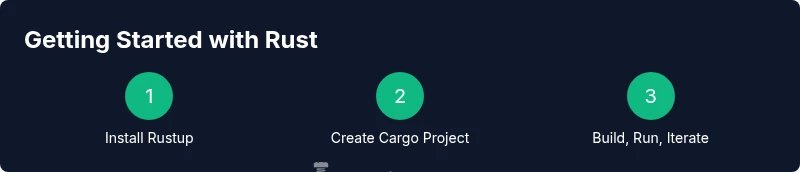
The first practical step is installing the Rust toolchain via rustup, which provides rustc (the compiler) and cargo (the build tool and package manager). Visit rustup.rs and follow the prompts for your OS. After installation, verify by running rustc --version and cargo --version in your terminal or PowerShell.
Next, choose a code editor. Many beginners use Visual Studio Code with the Rust Analyzer extension for helpful hints, autocompletion, and inline error messages. If you’re on Windows, macOS, or Linux, the setup is straightforward: install rustup, then install your editor, and configure a few basic preferences. These steps create a solid, repeatable workflow that you can reuse for every new project.
Learn the basics: ownership, borrowing, and lifetimes
At the heart of Rust is ownership. Each value has a single owner, and when that owner goes out of scope, the value is dropped. Borrowing lets you reference data without transferring ownership, through references (&T) and mutable references (&mut T). Lifetimes ensure that references don’t outlive the data they point to.
Example:
fn main() {
    let s = String::from("hello");
    takes_ownership(s);
}

fn takes_ownership(some_string: String) {
    println!("{}", some_string);
}
This pattern eliminates a whole class of bugs related to dangling pointers and data races. As you gain fluency, you’ll recognize how these rules shape safe, efficient APIs and data structures.
Master Cargo: building, testing, and dependencies
Cargo is Rust’s official build system and package manager. It standardizes project layout, dependency resolution, and testing. Start a new project with cargo new hello_rust, then navigate into the folder and run cargo build to compile. Cargo test runs tests, while cargo run builds and executes your program in one step. When you need external libraries, add them to Cargo.toml and run cargo build to fetch and compile them.
Tips:
- Use cargo fmt to format code consistently.
- Use cargo clippy for linting suggestions that improve correctness and readability.
- Keep dependencies up to date with cargo update.
Write your first Rust program: Hello, world and beyond
Begin with a classic Hello, world example to confirm the toolchain works:
fn main() {
    println!("Hello, world!");
}
From there, expand to small utilities: a CLI to sort a list, a file-reader, or a simple calculator. These projects reinforce the ownership rules, error handling, and module organization that Rust emphasizes. As you grow, organize code into modules and crates to reflect real-world project structure.
Practical small projects to practice
Hands-on practice helps cement Rust concepts. Try these projects:
- Small CLI tool: a task list or file stats reporter.
- Utility library: create a simple string utils crate and publish locally.
- Embedded-style project: simulate a sensor reading loop with a deterministic input source.
For each project, start with a minimal viable product, then iterate by adding features and tests. This approach mirrors real-world development and keeps learning manageable.
Debugging and testing: tips to develop confidently
Debugging in Rust benefits from the strong type system and explicit errors. Run cargo test frequently to catch regressions early, and use cargo bench for simple performance checks. Enable more diagnostics with RUST_BACKTRACE=1 for stack traces. Formatter and linter tooling (rustfmt, clippy) help maintain quality.
Common pitfalls to watch:
- Overusing unsafe code; prefer safe abstractions when possible.
- Ignoring error results; propagate them with ? or proper handling.
- Skipping tests for edge cases; test boundary conditions and panics.
With disciplined testing, you’ll gain confidence as you add complexity to your Rust projects.
Common mistakes new Rustaceans make and how to avoid them
New learners often fall into a few traps. First, underestimating the learning curve of ownership principles. Second, trying to imitate snippets without understanding lifetimes. Third, delaying tests or not handling Result types. Finally, neglecting to use cargo’s tooling for formatting and linting.
Combat these by practicing daily small examples, taking notes on ownership scenarios, running tests after every feature, and embracing the cargo ecosystem early on. Consistency beats big, sporadic efforts, and the Rust ecosystem rewards careful, incremental progress.
mainTopicQuery":"rust basics"],
toolsMaterialsStatusOnly": null}
toolsMaterials":{"items":[{
Tools & Materials
- A computer (Windows/macOS/Linux)(With internet access to download the Rust toolchain and editors.)
- Internet connection(Needed to install Rustup and fetch dependencies.)
- Rustup (rustup.rs)(Installs rustc (compiler) and cargo (build tool).)
- Code editor (e.g., Visual Studio Code)(Editor with Rust Analyzer enhances editing and navigation.)
- Terminal or PowerShell(Use it to run cargo commands and compile code.)
- Optional: rust-analyzer extension(Improves IDE support and code insights.)
- Optional: cargo-edit crate(Helps manage dependencies via cargo add.)
Steps
Estimated time: 60-90 minutes
- 1
Download and install Rustup
Visit rustup.rs and follow the installation prompts for your operating system to install the Rust toolchain (rustc, cargo). This creates a single, consistent environment for compilation and dependency management.
Tip: Choose the default installation options to avoid version conflicts and ensure compatibility with Cargo. - 2
Configure your editor
Install a modern editor (VS Code, Sublime, or JetBrains IDE) and add Rust Analyzer or equivalent tooling. This provides real-time feedback, code navigation, and error diagnostics.
Tip: Enable automatic formatting on save to keep code consistent. - 3
Create a new project with Cargo
Open a terminal and run cargo new hello_rust to scaffold a simple project. This creates a standard directory structure with Cargo.toml and a src folder.
Tip: Use a descriptive project name to reflect its purpose. - 4
Write and run your first program
Edit src/main.rs to print a message, then run cargo run to compile and execute. Confirm that the output matches expectations and that the build succeeds.
Tip: If compilation fails, read the error messages carefully; Rust prints actionable guidance. - 5
Add dependencies if needed
Open Cargo.toml and add crates (libraries) you need. Run cargo build to fetch and compile the new dependencies.
Tip: Prefer small, well-maintained crates and pin versions to avoid breaking changes. - 6
Write tests for your code
Create tests in tests/ or #[cfg(test)] module blocks and run cargo test. Tests verify behavior and guard against regressions as the project grows.
Tip: Start with simple unit tests before expanding to integration tests. - 7
Explore crates.io and ecosystem tools
Browse crates.io for libraries that fit your needs and add them to your project. Learn about tooling like rustfmt and clippy to improve quality.
Tip: Limit external dependencies to keep build times reasonable during learning. - 8
Iterate and expand your project
Refactor code into modules, add error handling, and consider performance optimizations. Use version control to track changes, and keep practicing with small projects.
Tip: Don’t rush milestones—focus on mastering one concept per session.
Quick Answers
What is Rust?
Rust is a systems programming language focused on safety and performance. It enforces memory safety without a garbage collector, enabling reliable, high-performance software.
Rust is a safe and fast systems language that helps you build reliable software without manual memory management.
Do I need to know advanced math to start Rust?
No deep math background is required to start. Basic programming concepts plus the language’s ownership model will guide you as you practice simple projects.
You don’t need advanced math to begin; start with fundamentals and practice small projects.
Is Rust hard for beginners?
Rust has a steeper learning curve than some languages due to ownership and lifetimes. With steady practice, you’ll gain confidence and appreciation for its guarantees.
Rust can be challenging at first, but steady practice makes it manageable and rewarding.
Can I use Rust for beginner projects?
Absolutely. Start with small command-line tools, file processing, or simple calculators to apply concepts like ownership and error handling.
Yes—start with small CLI tools to apply what you learn.
What is Cargo and why use it?
Cargo is Rust’s build system and package manager. It simplifies building, testing, and dependency management, keeping projects organized and reproducible.
Cargo handles building, testing, and dependencies for you.
Watch Video
Quick Summary
- Learn Rust basics with hands-on practice
- Use Cargo to manage projects and dependencies
- Master ownership and borrowing early to prevent bugs
- Leverage tooling (fmt, clippy, analyzer) for quality
- Build progressively through small, concrete projects