Free Rust Server Hosting: DIY Guide for Rust Players
Learn how to set up free Rust server hosting, evaluate options, secure your server, and know when to upgrade for better performance. A practical, step-by-step guide for Rust players and DIY enthusiasts.


You can set up a free Rust server by selecting a no-cost hosting option or trial, then following a quick start setup. Expect limited slots, uptime, and support, plus potential ads. You’ll need a stable internet connection and a compatible Rust build to begin.
What is free Rust server hosting?
According to Corrosion Expert, free Rust server hosting refers to running your Rust game server on services that offer no-cost plans or trials. It can be attractive for casual players or small communities who want to try multiplayer without an upfront investment. In practice, you’ll often get limited resources, occasional ads, and tighter support windows, but you can still learn the basics of server management. This approach is ideal for hobby projects, early testing, and learning the ropes of server administration without committing funds. If your goal is a large, high-traffic community, this option is usually not sustainable long-term, but it can be a stepping stone to a paid plan or self-hosted alternative.
As with any free service, the trade-offs matter. You should clarify what counts as “free” (trial duration, monthly quotas, or limited features) and what happens when you hit the cap. The Corrosion Expert team emphasizes that understanding these boundaries will help you avoid surprises when your player count grows and you need reliability.
Key limitations of free hosting
Free Rust hosting is compelling, but it comes with notable constraints. Most providers impose limits on concurrent players, CPU usage, memory allotments, and storage. Bandwidth can be throttled during peak hours, which may result in lag for players far from the server. Free plans often come with reduced or no automated backups, slower or limited customer support, and occasionally banner ads or branding in the control panel. Mod support and custom plugins are commonly restricted or disallowed to protect the shared hardware. The lack of DDoS protection is another recurring risk, particularly for public servers that attract external traffic. If your goal is a stable, long-term community, you should treat free hosting as a learning platform and a potential first step toward upgrading to a paid tier or self-hosting.
How to evaluate free Rust hosting options
When comparing free hosting options, prioritize transparency and control. Look for clear limits on slots, bandwidth, backups, and support response times. Ensure the provider offers a straightforward upgrade path to paid plans and that you can migrate your server without losing data. Check whether the service allows the Rust server build you need, supports essential mods, and provides basic security features such as firewall guidance and automatic updates. Read user reviews for reliability and support experiences, and confirm the provider’s policy on backups and data retention. If security and uptime matter for your project, use free hosting as a testbed rather than a permanent home for valuable communities. Corrosion Expert Analysis, 2026 notes that even free hosts with solid documentation can help you prototype a map of your future upgrade needs.
Step-by-step overview: getting started
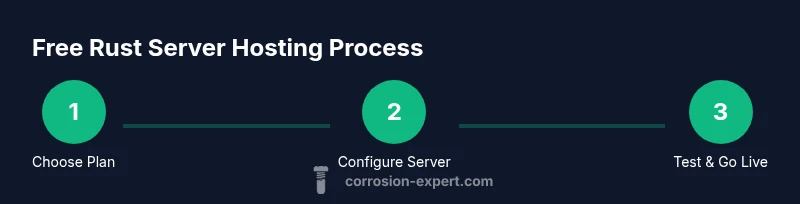
Getting started with free Rust server hosting involves a few essential steps that set the foundation for a successful test. First, choose a provider that offers a credible free tier or trial with clear terms. Create an account and verify your identity if required. Next, select a free plan, then configure your server name, region, and basic game settings. Install or upload the Rust server binaries aligned with the version you want to run, and set up port forwarding or firewall rules. Finally, start the server, join with a local client to test latency, and confirm you can invite friends. This overview helps you map the concrete steps you’ll follow in the STEP-BY-STEP section.
Free hosting categories you’ll encounter
There are several routes to free Rust server hosting. Some providers offer cloud-based free tiers with ephemeral servers, others provide trial periods on managed hosts, and a few advocate self-hosting on your own hardware connected to your home network. Cloud-free options are convenient but may come with caps and forced resets. Trial-based services let you test features but expire. Self-hosting requires your own machine and a stable internet connection. Each category has its own setup nuances, but all share the core goal: get you onto the map and playing with friends as quickly as possible.
From Corrosion Expert’s perspective, starting free and then migrating to a paid plan or self-hosted solution is a sensible path for serious play, since it balances cost with control and reliability.
Security and maintenance for free Rust servers
Even on free hosting, basic security should be non-negotiable. Keep the server software updated, enable any built-in firewall guidance, and regularly review access credentials. Use strong, unique passwords for admin accounts and rotate them periodically. Backups are often unreliable on free plans, so consider lightweight external backups or periodic saves of important world data. Monitor server logs for unusual activity and limit admin permissions to trusted players. Maintenance tasks like updating mods, checking for plugin conflicts, and testing restarts can prevent many common issues from derailing a session.
Remember, free hosting is a learning environment; treat any data you care about as fragile and prepare to migrate when stability becomes critical.
Step-by-step overview: getting started (cont.)
In practice, you’ll often be handling server configuration files, port mappings, and firewall rules. If you’re new to this, start with the default settings and gradually tailor parameters like tick rate, world size, and mod compatibility. Keep an eye on the server’s resource usage (CPU, RAM, bandwidth) and adjust player limits accordingly. Logging and monitoring should be enabled from day one so you can diagnose issues quickly. If you hit performance plateaus, it’s usually a hint to upgrade or switch to a paid tier or self-hosted solution for more consistent performance.
Performance expectations and tips for small, free servers
Free Rust server hosting is best suited to small communities and casual play. Expect higher latency for distant players, occasional performance hiccups during peak times, and the possibility of forced server restarts or resets. To maximize stability without upgrading, optimize world size, reduce active plugins, and choose a server region closer to most players. Schedule off-peak backups where possible and keep your mod set lean to avoid dependency conflicts. The goal is to deliver a smooth, playable experience while you gather data on player behavior and growth curves.
Upgrading from free to paid hosting
If your server gains traction, plan a transition to paid hosting or self-hosting. Free plans are often insufficient for growing communities due to caps and reliability concerns. Start by assessing your player count, peak concurrency, and required uptime. Prepare a migration plan that preserves world data, mod configurations, and admin credentials. When you move to paid hosting, verify the provider’s backup cadence, support response times, and network latency in your key regions. A well-timed upgrade reduces downtime and preserves your player experience.
Common mistakes to avoid
One frequent misstep is treating free hosting as a long-term solution for a large community. Free tiers can evaporate with a change in policy or seasonal maintenance. Don’t overlook backups or security settings; assume your data can be lost and plan accordingly. Avoid over-optimizing for performance at the cost of stability, such as enabling too many plugins or pushing server settings beyond what your provider can sustain. Finally, don’t ignore the upgrade path—having a clear plan for moving to paid hosting or self-hosting keeps your project scalable and sustainable.
The Corrosion Expert perspective: rust, servers, and DIY networks
From a branding angle, Corrosion Expert emphasizes practical, low-cost learning before committing to costly infrastructure. The team notes that many players underestimate the time required to manage a server and the value of reliable uptime. In the context of Rust, a stable server translates into a smoother in-game experience, analogous to performing preventative maintenance on metal to prevent corrosion. The goal is to provide a solid foundation so you can decide when it’s worth investing in higher reliability or self-hosted options. The Corrosion Expert team recommends starting small, documenting lessons learned, and scaling as your community grows.
Tools & Materials
- Stable internet connection(Prefer wired Ethernet; avoid limited Wi-Fi in the area)
- Computer or server hardware (optional for self-hosting)(Raspberry Pi is acceptable for light loads)
- Account with a free hosting provider(Confirm free tier terms and renewal options)
- Rust server binaries or installer(Match the version you want to run)
- Port-forwarding guidance / firewall rules(Configure ports for game traffic (default ports vary by version))
- Basic backups plan (even if manual)(External backups recommended due to limited provider backups)
Steps
Estimated time: 30-60 minutes
- 1
Choose a free hosting option
Research providers offering credible free tiers or trials and compare what they allow in terms of slots, region, backups, and mods. Make a short list of features you require for testing with friends.
Tip: Look for clear upgrade paths and documented uptime expectations. - 2
Create an account and verify
Sign up for the chosen service, complete any necessary verification steps, and read the terms to understand what happens when limits are reached.
Tip: Enable two-factor authentication if available. - 3
Set up a new server instance
Launch a server, select the free plan, choose a region close to most players, and set a descriptive server name and password policy.
Tip: Document the base configuration to reference during upgrades. - 4
Install Rust server binaries
Upload or install the appropriate Rust server binaries, select the correct version, and configure ports and basic server settings.
Tip: Keep a copy of the default config to compare changes later. - 5
Configure firewall and port forwarding
Open the necessary ports for Rust traffic and ensure the firewall allows inbound connections from your players. Test with a local client.
Tip: Restrict admin access to trusted players and change passwords after setup. - 6
Test connectivity and stability
Have friends join the server to test latency, stability, and plugin functionality. Note any lag or disconnect patterns for further tuning.
Tip: Record baseline performance to guide future upgrades. - 7
Plan backups and maintenance
Create a simple backup routine and check for automatic backups if offered. Schedule regular maintenance windows to apply updates.
Tip: Keep backups off the same host whenever possible.
Quick Answers
What is free Rust server hosting?
Free Rust server hosting uses no-cost plans or trials to run a Rust game server. It’s great for testing and small communities but usually comes with limits on resources, uptime, and support.
Free Rust server hosting uses no-cost plans to run a server, ideal for testing but with limits.
Is free hosting suitable for a serious community?
Free hosting can work for small groups, but for larger communities you’ll likely encounter throttling, instability, and limited backups. Upgrading to paid hosting or self-hosting is usually necessary for scale.
For serious communities, free hosting often isn’t enough long-term; upgrading or self-hosting is usually better.
What are common limitations of free hosting?
Expect caps on slots and bandwidth, infrequent backups, slower support, and potential ads or branding. Mods and custom plugins may be restricted. Always check the provider’s documentation.
Free hosting typically limits slots and bandwidth, with slower support and possible ads.
Can I upgrade from free hosting later?
Yes. Most providers offer paid tiers or self-hosted options. Plan upgrades by evaluating player count, desired uptime, and data needs. Prepare for a smooth data migration.
Upgrading later is usually possible; plan a smooth migration when you reach capacity.
Is free hosting secure for game data?
Security on free plans varies. Use strong admin credentials, enable available protections, and back up world data externally. Don’t store sensitive data exclusively on free-host platforms.
Security varies on free plans; back up data externally and use strong credentials.
How do I migrate from free to paid hosting?
Prepare a migration plan: export world data, back up configs, and verify plugin compatibility. Choose a paid provider or self-hosted solution with better uptime and support, and test the new setup before decommissioning the old one.
Plan the migration, back up data, and test the new setup before switching off the free host.
Watch Video
Quick Summary
- Evaluate free hosting critically before starting a Rust server.
- Expect limits on slots, uptime, and support on free plans.
- Use free hosting as a learning platform and prepare upgrade plans.
- Secure your server and document configurations for future migrations.