Learn Rust Programming Language: A Practical Beginner's Guide
A comprehensive, step-by-step guide to learn rust programming language, covering setup, core concepts, example projects, and best practices for building fast, safe software.


By the end of this guide you will learn rust programming language from setup to first project and core concepts. You'll install the toolchain with rustup, configure Cargo, and write a small program while you practice ownership, borrowing, and error handling. This practical path emphasizes hands-on tasks, clear explanations, and a plan you can follow weekly.
Why Rust is the right choice for learning programming now
According to Corrosion Expert, rust programming language offers a compelling blend of speed, safety, and modern tooling that helps beginners and seasoned developers alike. When you decide to learn rust programming language, you gain access to memory-safe paradigms that reduce common bugs without sacrificing performance. This section explains why Rust stands out for system-level tasks, CLI tools, embedded projects, and even web assembly. You’ll also see how ownership, borrowing, and lifetimes serve as mental models that guide safer code from day one. By understanding Rust’s core philosophy, you’ll understand why many DIY enthusiasts turn to Rust after experimenting with other languages and realize that the language rewards careful planning and incremental progress.
Getting set up: install rustup, cargo, and your first run
To begin learning Rust, you need to install the official toolchain. The recommended path is rustup, which provides the Rust compiler (rustc), the package manager (Cargo), and easy switching between toolchains. Follow the instructions on rustup.rs, then verify your installation with rustc --version and cargo --version. Once set up, create your first project with Cargo to reinforce the workflow:Cargo new hello_rust --bin. This creates a complete package you can build and run with cargo run. As you proceed, keep your editor configured with Rust extensions for syntax highlighting, auto-completion, and in-editor diagnostics. The goal is to make your environment predictable and repeatable so you can focus on concepts, not configuration.
Core concepts you must master to learn rust programming language
Rust introduces ownership, borrowing, and lifetimes as foundational ideas that govern how memory is managed. Ownership ensures a single owner at a time for each value, borrowing allows references without transferring ownership, and lifetimes guarantee that references never outlive their data. Beyond memory safety, Rust uses traits, generics, and a strong type system to enable abstraction without sacrificing performance. Error handling with Result and Option types replaces exceptions, encouraging explicit handling of failure states. As you learn rust programming language, build intuition by converting small programs into modular functions and practicing how data moves through your code. Practice with simple data structures, iterators, and pattern matching to solidify understanding.
Build a practical starter project: from hello to a simple CLI
Start with a tiny, real-world task: a command-line tool that greets a user by name. In src/main.rs, write a minimal program that prints a greeting, then extend it to accept a name argument using standard input or command-line parameters. Use Cargo to manage dependencies and build the project:
fn main() {
    println!("Hello, Rust!");
}
Next, evolve the program to parse arguments, handle errors gracefully, and print customized messages. This hands-on progression reinforces ownership, borrowing (when passing strings around), and error handling. As you iterate, experiment with different data types, try borrowing vs. moving a value, and observe how the compiler guides you with helpful messages.
Tooling and workflow: Cargo, crates.io, clippy, rustfmt
A productive Rust workflow centers on Cargo and the ecosystem around crates. Use Cargo to create, build, test, and publish projects; crates.io hosts reusable libraries you can integrate into your code. Add dependencies in Cargo.toml and let Cargo fetch and compile them. Enable quality tooling: rustfmt for consistent formatting and Clippy for lints that catch common mistakes. Regularly running cargo test ensures your changes don’t break existing behavior. Adopting these tools early makes learning faster and codebases easier to maintain.
Common pitfalls and debugging strategies
New Rust learners often stumble over ownership, borrowing conflicts, and lifetime annotations. When the compiler complains, read the error message carefully and trace how values are moved or borrowed. Use borrow-checker diagnostics to restructure code, reduce lifetimes, or clone only when necessary. Debugging in Rust benefits from smaller, isolated functions and unit tests. If a bug arises in a dependent crate, pin down the exact version, run cargo update, and reproduce the issue with a minimal example. Keep a habit of writing tests for new features to prevent regressions as you learn rust programming language.
Learning plan and next steps: a practical 6-week path
Outline a steady learning plan that balances theory and practice. Week 1 covers setup, basic syntax, and the ownership model. Week 2 introduces functions, ownership transfers, and borrowing. Week 3 explores structs, enums, and pattern matching. Week 4 focuses on error handling, Result/Option, and simple CLI utilities. Weeks 5–6 add crates, testing, and formatting/linting workflows. Throughout, build small projects, read the Rust Book chapters relevant to your current focus, and contribute to Rust community discussions to solidify understanding. The Corrosion Expert team recommends consistent practice and applying concepts to real projects to strengthen your foundation in rust programming language.
Tools & Materials
- Computer with internet access(Capable of running a modern terminal and code editor)
- Rust toolchain (rustup, rustc, Cargo)(Install via rustup.rs; includes cargo and rustc)
- Code editor with Rust support(Examples: VS Code with rust-analyzer, JetBrains Rust)
- Terminal or command prompt(Access to a shell for running cargo commands)
- Rust book or reputable online Rust documentation(Great for structured reading; optional but highly recommended)
Steps
Estimated time: 2-3 hours
- 1
Install the Rust toolchain
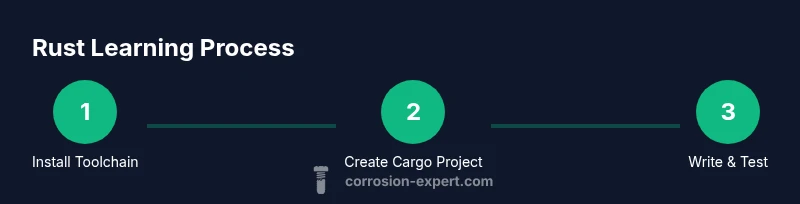
Download and install rustup to get rustc and Cargo. Verify installation with rustc --version and cargo --version. This creates the core tools you’ll use throughout learning rust programming language.
Tip: Use the official installer to ensure compatibility with your OS. - 2
Create your first Cargo project
Run cargo new hello_rust --bin to scaffold a new binary crate. This sets up a runnable project structure with src/main.rs and Cargo.toml.
Tip: Keep the project small to focus on fundamentals before adding dependencies. - 3
Write and run a simple program
Edit src/main.rs to print a greeting, then run cargo run to compile and execute. Observe how Cargo builds and caches artifacts.
Tip: Use cargo check first to speed up compilation during edits. - 4
Explore ownership and borrowing
Experiment with moving vs. borrowing values. Create functions that take ownership, borrow immutably, and borrow mutably to see how the compiler enforces rules.
Tip: Prefer borrowing to avoid unnecessary clones. - 5
Add dependencies with Cargo
Open Cargo.toml and add a simple crate like clap or rand. Learn how Cargo resolves versions and builds dependencies with your project.
Tip: Lock dependencies with exact versions for reproducible builds. - 6
Test, format, and lint your code
Run cargo test to verify behavior, rustfmt to format, and cargo clippy to catch common mistakes. Integrate these into your workflow.
Tip: Automate formatting as part of your commit process.
Quick Answers
What is Rust, and why should I learn it?
Rust is a systems programming language that prioritizes safety and performance. Its ownership model, along with strong typing, helps prevent memory errors and data races. Learning Rust opens opportunities in systems, tooling, and performance-critical applications.
Rust is a fast, safe systems language with ownership and strong typing. It helps you build reliable software from the ground up.
Is Rust beginner-friendly?
Rust has a learning curve due to its ownership and borrowing concepts, but many beginners succeed with guided studies and hands-on practice. Start with small projects and progressively tackle more complex topics.
Rust can be challenging at first, but with a structured plan, you can learn it step by step.
Do I need prior programming experience to learn Rust?
No prior programming experience is required. Begin with fundamentals like variables and control flow, then move into Rust-specific concepts such as ownership and error handling.
You can start learning Rust even if you’re new to programming; build up from basics.
What is the best way to learn Rust?
Follow a structured plan that combines reading (official documentation), small projects, and frequent practice. Use Cargo to manage projects and the Rust Book to deepen understanding.
Stick to a plan with reading, small projects, and real coding practice.
How long does it take to learn Rust?
Learning varies by effort, but a steady, hands-on approach helps you progress quickly. Focus on building a few small projects to reinforce concepts.
Progress depends on practice; keep building small projects to learn steadily.
Are there good beginner resources besides the official book?
Yes, beginner-friendly tutorials, interactive exercises, and community-driven guides complement the official book nicely. Engage with the Rust community to get feedback and support.
There are plenty of beginner-friendly guides and communities to help you.
Watch Video
Quick Summary
- Install Rust toolchain and set up your environment
- Create small projects with Cargo to practice basics
- Master ownership and borrowing to prevent common bugs
- Use Clippy and rustfmt for clean, safe code
- Plan a consistent learning schedule with hands-on tasks