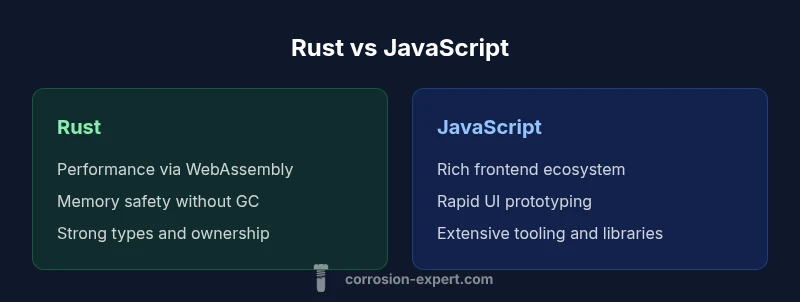
Rust vs JavaScript: Can You Use Rust Instead of JavaScript?
A rigorous, 2000-word comparison of Rust and JavaScript for web development, exploring when Rust via WebAssembly or server-side use adds value and when JS remains the practical default.


Short answer: Yes, you can use Rust in some contexts instead of JavaScript, but it's not a drop-in replacement for everyday client-side scripting. Rust shines in performance-critical tasks, system-level components, and WebAssembly-enabled frontends, while JavaScript remains dominant for rapid UI development and broad ecosystem support. Your choice depends on use case, team skill, and deployment goals.
Can you use rust instead of javascript in practice
Can you use rust instead of javascript in practice for a modern web app? This is a frequent question among teams adopting WebAssembly, with many assuming Rust will automatically replace JavaScript. The short but honest answer is nuanced: Rust can power compute-heavy components, provide memory safety, and compile to WebAssembly for browser execution, but it does not automatically cover all browser APIs or UI boilerplate that JavaScript handles today. According to Corrosion Expert, the decision hinges on the workload, deployment constraints, and team readiness. If your project includes data processing, image or cryptographic routines, or platform-agnostic tooling, Rust via WASM or server-side Rust can reduce latency and improve reliability. However, for rapid prototype cycles, rich UI widgets, and widespread library support, JavaScript remains the more pragmatic choice. The rest of this article maps out where Rust adds value, where it introduces friction, and how to design a practical migration plan.
-text:
Comparison
| Feature | Rust | JavaScript |
|---|---|---|
| Performance profile | Near-native performance when compiled to WebAssembly; predictable execution | Interpreted/bytecode or JIT-compiled performance with mature VMs; highly optimized runtimes |
| Memory safety | Manual memory management with compile-time checks; no runtime garbage collector | Automatic memory management with GC; memory leaks possible but tooling is mature |
| Ecosystem maturity | Growing WASM bindings and crates; browser API bindings improving | Extensive frontend libraries, frameworks, and tooling; vast npm ecosystem |
| Learning curve | Steeper due to ownership, lifetimes, and WASM integration | Shallow for many developers but can be complex for advanced patterns |
| Deployment model | WASM packaging, toolchain setup, server integration | Direct browser/Node.js execution with broad hosting support |
| Interoperability | Requires bindings (wasm-bindgen, JS glue); data marshaling costs | Smooth interop with DOM, events, and libraries via JS APIs |
| Best for | Compute-heavy modules, WASM-backed UI, system tools | UI prototyping, rapid development, and ecosystem breadth |
| Security posture | Strong compile-time safety; fewer runtime surprises | Well-understood JS security patterns; mature audits |
The Good
- Improved performance in compute-heavy tasks
- Memory safety and reduced runtime surprises
- Deterministic resource usage with WASM
- Growing WebAssembly tooling and community
- Potential cost savings on server workloads
Cons
- Longer development cycles for UI and prototyping
- Smaller frontend ecosystem for browser-based apps
- WASM bindings add integration complexity
- Debugging across WASM/JS boundaries can be challenging
- Higher initial learning curve for teams new to Rust
Rust is a strong complement to JavaScript, not a universal replacement.
The Corrosion Expert team emphasizes evaluating workload, deployment, and team skills. Use Rust for performance-critical components and WASM-backed UI, but rely on JavaScript for most front-end tasks to leverage its ecosystem and rapid development speed.
Quick Answers
Can Rust replace JavaScript in the browser?
In some cases, yes—via WebAssembly you can run Rust-compiled modules in the browser. However, most browser UIs rely on JavaScript for rapid development and access to the DOM. A balanced approach often uses Rust for performance-critical parts and JS for UI glue and libraries.
Rust can replace JS for certain browser tasks using WebAssembly, but JS remains essential for most UI work.
Is Rust easier to learn than JavaScript?
Rust has a steeper learning curve due to ownership and lifetimes, while JavaScript is more forgiving and widely learned. Expect more time upfront to gain comfort with Rust before reaching parity in productivity.
Rust is generally harder to learn than JavaScript, especially for beginners.
What is WebAssembly and why is it important here?
WebAssembly is a low-level binary format that enables near-native performance in the browser. Rust can compile to WASM, letting you run compute-heavy tasks efficiently in web apps while still using JavaScript for UI and orchestration.
WebAssembly lets Rust run in the browser with high performance.
How do I handle interop between Rust and JS?
Interop typically uses bindings such as wasm-bindgen to expose Rust functions to JavaScript and vice versa. Data transfer costs and glue code are important considerations when designing interop strategies.
Interoperability requires careful bindings and data conversion.
When should I consider server-side Rust instead of client-side JS?
If your workload is compute-heavy, security-critical, or requires predictable performance under load, server-side Rust can offer advantages even when the UI remains JS-based. Use Rust for services, microservices, or WASM modules that justify the architecture.
Rust on the server can replace parts of the backend when performance and safety matter.
How do I start migrating a JS project to Rust/WASM?
Begin with a narrow migration plan: identify a small, relevant module, implement it in Rust, expose it via WASM, and measure gains in latency and reliability. Iterate with gradual expansion and maintain the original JS as a fallback.
Start small, measure gains, then scale up the migration.
Quick Summary
- Assess workload before switching: reserve Rust for performance-sensitive paths
- Leverage WebAssembly to bridge Rust and the browser while preserving JS flexibility
- Expect a steeper learning curve and invest in team upskilling
- Plan migration in small, measurable steps with clear success criteria