How to Tell When Rust Servers Wipe: A Practical Guide
Learn how to tell when Rust servers wipe. This practical guide covers official notices, community signals, and steps to verify wipe dates so you can plan your gameplay around resets.


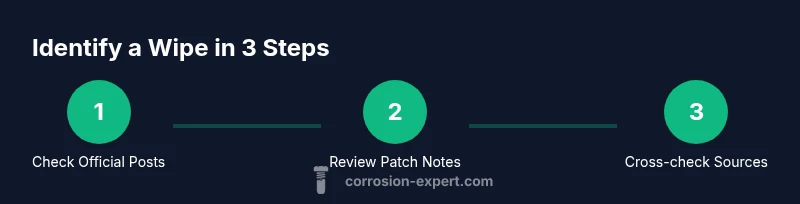
To tell when a Rust server will wipe, start with official announcements, patch notes, and maintenance posts. Then corroborate with the server’s Discord and community threads for a scheduled date window. Finally, set reminders and plan your builds and raids around the confirmed timeframe.
What is a wipe on Rust servers?
In the Rust ecosystem, a wipe is a deliberate reset of the server's state. Depending on the server, this can mean the map is rebuilt, all player bases are removed, loot is restocked, and progression is wiped from memory. Wipes are used to re-balance gameplay, reintroduce challenge, and refresh the playing field for new or returning players. The Corrosion Expert team emphasizes that understanding what a wipe includes is essential for planning builds, raids, and clan events, because different servers interpret wipes differently. If you’re playing on a server you care about, knowing when a wipe is planned enables you to optimize your resources and coordinate with your team for the reset window. This awareness helps both new players and veterans arrive at the start with clear objectives rather than blindly rushing in.
Remember, wipes vary by server, so always verify the scope of the wipe (map reset, progress reset, loot changes) before making large investments of time or materials.
Signals that a wipe is scheduled
Wipe signals come in many forms, but the strongest indicators are official notices and scheduled maintenance posts. Look for explicit wipe announcements, a defined date or date window, and references to a reset in patch notes. Community calendars, countdowns in Discord servers, and server status dashboards can also hint at an upcoming wipe. It’s common for multiple signals to appear, sometimes with slight differences in timing across channels. The key is triangulation: confirm the date from at least two independent sources and cross-check with the server host’s maintenance pages. Corrosion Expert analysis shows that most reputable server communities publish wipe notices through official channels before any in-game changes, which is the most reliable cue to act on.
Official channels to monitor for wipe notices
- Server website or forum thread: Look for a dedicated “Wipe” or maintenance post at the top of the announcements.
- Steam announcements: Some hosts publish wipe news in the Steam community hub or server pages.
- Discord server: Channels devoted to updates and maintenance often carry wipe notices.
- In-game chat or clan channels: Occasionally, communities share hints about upcoming wipes here.
- Host patch notes: The server host may release notes that include wipe dates or windows.
If you can’t find information, reach out to admins via official channels rather than relying on rumors. Reliable signals come from official posts plus documented maintenance windows, not scattered chatter across channels.
Reading community signals and dashboards
Community signals can help you stay ahead, but they’re best used to anticipate rather than confirm. Cross-check Discord announcements with Reddit threads and any server dashboards or status pages. When dashboards exist, they may show planned downtime windows or wipe-related maintenance. Be mindful of rumors or misprints; verify every date against official posts first. Use community chatter to prepare, not to confirm, and always seek corroboration from multiple sources to avoid chasing false timelines.
Interpreting wipe calendars and typical patterns
Many Rust servers adopt a wipe cadence that fits their player base, with some servers wiping on a regular schedule and others following updates from major patches. Patterns may vary by region and population, so a cadence that works for one server may not apply to another. When you notice a recurring pattern, use it to time resource gathering and raids, but never rely on it alone. Always confirm with official notices and patch notes to avoid missing key resets or misreading a date window. The goal is to align your play session with a known wipe window, not to chase an uncertain rumor.
How to verify a wipe date across sources
A strong verification approach uses a four-source cross-check: official announcements, patch notes or maintenance posts, a server status/dashboard, and the server's Discord channel. If all four sources align on the date or window, you can treat it as high-confidence. If one source is missing or inconsistent, wait for confirmation rather than committing to a plan. Set a calendar reminder for the forecast window and prepare tools to adjust schedules if last-minute changes occur. This method minimizes surprises and helps you coordinate your activities with your clan for a smoother reset experience.
Before, during, and after a wipe: a practical preparation checklist
Before a wipe: stock up on essential resources, secure your base with offline storage, and plan raid timing to maximize your gains. During a wipe window: avoid unnecessary construction, complete crucial raids before doors close, and set up alerts for any last-minute changes. After a wipe: scout for loot rebalancing, rejoin servers promptly, and reassess base layouts for the new map state. Following a structured plan reduces downtime and helps you hit the ground running when the server goes live again. The Corrosion Expert team notes that pre-wipe preparation pays off in both efficiency and early-game momentum.
Common mistakes and how to avoid them
- Relying on a single source for wipe timing can lead to surprises. Always corroborate across multiple official channels before taking action.
- Ignoring maintenance windows can cause your plans to fail. Check the server’s calendar or status pages for any downtime.
- Under-preparing resources can leave you exposed after a wipe. Prioritize stockpiling essential items and securing storage.
- Not coordinating with your clan can waste opportunities. Communicate wipe plans and coordinate raid schedules in advance.
Quick-start wipe verification checklist
- Identify the specific server you’re playing on.
- Find the official wipe announcement or maintenance post.
- Check patch notes for mentions of a reset or wipe.
- Review the server’s Discord channel for any last-minute updates.
- Cross-check the dates across at least two sources.
- Set a calendar reminder and prepare a pre-wipe plan with your team.
Tools & Materials
- Reliable internet connection(Stable access to official channels and community sources.)
- Smartphone or computer with access to Discord/Reddit/Steam(Enable push notifications for timely updates.)
- Calendar or reminder app(Schedule wipe windows and review dates ahead of time.)
- Note-taking tool(Document sources and dates for cross-checking.)
- Backup strategy(Plan to save progress or milestones before a wipe.)
Steps
Estimated time: 60-120 minutes
- 1
Identify the target server
Choose the specific Rust server you want to track for a wipe. Confirm its official name, host, and any community extensions or mods that affect wipe timing.
Tip: Create a short list of your top 2–3 servers to monitor to avoid fragmentation. - 2
Open official announcements
Visit the server’s official site or forum thread to locate any wipe notices or maintenance posts. Look for explicit dates or windows and read the scope of the wipe.
Tip: Bookmark the official page and enable notifications if possible. - 3
Check patch notes and maintenance posts
Read recent patch notes or maintenance updates for mentions of a wipe or reset. These posts often accompany a schedule or window.
Tip: Note any timeframe references (days or hours) and compare with other sources. - 4
Review server status dashboards
If the host provides a status page or dashboard, review upcoming downtime, wipe windows, or reset notes. Dashboards can give a visual cue that a wipe is planned.
Tip: Take a screenshot of the dashboard for quick reference. - 5
Check Discord and community channels
Open the server’s Discord and relevant channels for maintenance or announcements. Community moderators may post last-minute updates or clarifications.
Tip: Cross-check Discord dates with official posts before acting. - 6
Cross-verify across multiple sources
Aim to confirm the date or window with at least two independent signals. If there’s a mismatch, wait for official clarification.
Tip: Avoid committing to a plan until sources align. - 7
Prepare a wipe plan with your team
Share a plan with your clan or friends, outlining resource prep, raid timing, and post-wipe goals. A coordinated approach reduces chaos.
Tip: Assign roles (raids, farming, base defense) to speed up readiness. - 8
Monitor for last-minute changes
Wipe schedules can shift due to updates or emergencies. Keep an eye on channels as the window approaches.
Tip: Set a final reminder a few hours before the wipe window closes. - 9
Post-wipe: rejoin and re-evaluate
Once the wipe occurs, re-enter the server, assess the map state, and adjust your strategy based on the new environment.
Tip: Take note of any balance changes or loot reintroduction for planning.
Quick Answers
What exactly is a wipe on a Rust server?
A wipe on a Rust server is a reset of the game state that can involve map changes, base deletions, and loot/ progression reset. The exact scope varies by server. Always confirm which elements will be reset with official notices.
A wipe is a reset of the game state on the server, but the exact scope can change from server to server. Check official notices for what gets reset.
How often do wipes occur on Rust servers?
Wipe frequency depends on the server. Some follow a regular cadence, while others reset after major updates or community events. Rely on official announcements for the exact timing.
Wipes happen on different schedules depending on the server; official notices will tell you the timing.
How can I verify a wipe date before it happens?
Cross-check official posts, patch notes, server status dashboards, and Discord announcements. If two or more sources align on a date, you can treat it as higher confidence.
Check official posts, notes, dashboards, and Discord; align multiple sources before acting.
Are wipes permanent or reversible?
Wipes are designed to reset the current game state; they are a one-way change. After a wipe, play resumes with a fresh start under the new conditions.
Wipes are meant to reset the game state, so you start fresh after the wipe.
Can I keep progress during a wipe?
Most wipes reset progress, but some servers allow certain progress elements to persist or reintroduce specific loot. Always verify what resets with official notices.
Generally, progress is reset, but check official notices for any exceptions.
What should I do to prepare before a wipe?
Prepare by stockpiling essentials, coordinating with your team, and setting a plan for raids and base management. Create calendar reminders and ensure you’re aligned with your clan’s wipe strategy.
Get your team together, stock up, and set reminders before the wipe.
Watch Video
Quick Summary
- Know what a wipe entails for your server.
- Always verify against official channels and multiple sources.
- Prepare with your team well before the wipe window.
- Use calendars and reminders to stay ahead.
- Post-wipe, reassess goals quickly for momentum.