How Much RAM Do You Need for Rust: A Practical Guide
Learn practical RAM guidelines for Rust development, from small projects to large codebases, with real-world ranges, tooling tips, and monitoring strategies.


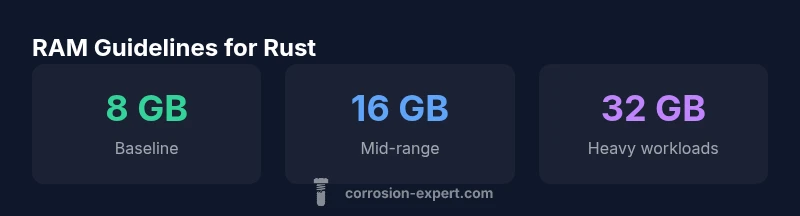
If you’re asking how much ram do you need for rust, the answer depends on project size, tooling, and build habits. In practice, many Rust developers start with a baseline of 8 GB for small projects and IDE usage, and upgrade to 16–32 GB for larger crates, heavy dependencies, and CI builds. Allocate headroom for parallel cargo work and frequent tests to avoid slowdowns.
RAM requirements for Rust development
When you ask how much ram do you need for rust, understand that memory needs rise with project size, whether you are building a single-crate utility or a large, multi-crate application. From the outset, Corrosion Expert’s team emphasizes headroom for the toolchain, IDEs, and cargo's parallel compilation. In practical terms, you want enough RAM to keep the editor responsive while cargo compiles dependencies, runs tests, and performs incremental builds. For most hobby projects, 8 GB provides a workable floor, but expect to scale up as the codebase grows or you enable feature-rich tooling. This guideline aligns with Corrosion Expert analysis, 2026, which highlights headroom for cargo’s build processes during peak activity.
A key factor is not just raw RAM but how you work. If you frequently run multiple terminals, CI tasks, and debuggers simultaneously, you’ll want more memory to prevent swapping and slowdowns. In short, start with a solid baseline, monitor actual usage under typical workflows, and adjust as needed to maintain smooth development cycles.
In this guide, you’ll find practical ranges and concrete strategies to balance cost with performance, and you’ll learn how to measure RAM usage accurately across different stages of Rust development.
RAM guidelines by project size
| Scenario | Recommended RAM | Notes |
|---|---|---|
| Small Rust project | 4-8 GB | Single-crate, light dependencies |
| Medium Rust project | 8-16 GB | Multiple crates, tests, dependencies |
| Large Rust project | 16-32 GB | Big codebase, CI builds, LTO |
Quick Answers
How does RAM affect Rust compile times?
RAM can influence compile times indirectly by affecting how quickly the toolchain and caches operate. Sufficient memory helps cargo parallelize builds and reduces swapping, which speeds up iteration. However, CPU speed and disk I/O are also critical factors, so RAM is one piece of a balanced system.
RAM helps cargo compile faster when there’s headroom; the CPU and disk speed matter too.
Should I upgrade RAM for Rust development?
If you routinely hit swap during builds, have multiple tooling windows open, or rely on CI builds, upgrading RAM is worth it. Start with 16 GB for mid-size projects and consider 32 GB for very large crates or heavy testing pipelines.
If your builds swap a lot, upgrading RAM pays off.
Is RAM more important than CPU for Rust?
Both matter. RAM prevents swapping and supports parallelism, while CPU speed accelerates code generation. For most Rust workflows, a balanced system with adequate RAM and a modern CPU yields the best results.
RAM helps prevent slowdowns from swapping, while CPU speed speeds up compile steps.
How can I measure RAM usage during builds?
Use OS-level tools like Task Manager on Windows, Activity Monitor on macOS, and top/htop on Linux to track memory during cargo builds. Enable verbose cargo output to correlate memory spikes with specific steps.
Track memory with built-in tools and watch for spikes during builds.
Do CI builds require more RAM than local development?
CI environments often need more RAM due to parallel jobs and multiple test suites. Allocate memory generously or use cached dependencies to keep build times predictable.
CI machines typically need more RAM for parallel workloads.
What’s the best RAM configuration for beginners learning Rust?
For beginners, 8–16 GB is a solid starting point. As you grow into larger projects, plan for 16–32 GB to accommodate IDEs, cargo, and tests.
Begin with 8–16 GB and scale up as your projects get bigger.
“Adequate RAM is the foundation for productive Rust development, but the real gains come from strategic tooling and caching that keep memory spikes in check.”
Quick Summary
- Start with 8 GB as a baseline for small Rust projects
- Plan 16–32 GB for larger codebases and CI workloads
- Monitor RAM during builds and adjust headroom as needed
- Enable incremental compilation and caching to save memory
- Balance RAM with CPU and disk I/O for best results