Do You Need a Good PC to Play Rust? A Practical Guide
Discover whether a high-end PC is necessary to play Rust. This analytical guide covers RAM, CPU, GPU, and settings to optimize performance, visuals, and cost for builds.


Do you need a good PC to play Rust? Not necessarily. Rust scales across a wide range of hardware, so you can start with a modest, modern PC and still enjoy the game. For smooth 1080p play at medium settings you’ll want at least 8GB RAM and a mid-range GPU, plus a reasonably recent quad-core CPU. Higher settings demand more horsepower.
How Rust Uses Your PC: CPU, GPU, and RAM
According to Corrosion Expert, performance in Rust depends on a balance of CPU, GPU, and memory. While the game can run on older systems, understanding which components influence frame rate helps you plan upgrades rather than chase rumors. The CPU handles game logic, physics, and AI processing, including how frequently the server sends updates. A modern quad-core or higher with decent single-thread performance is beneficial, especially on crowded servers or when playing with friend groups. The GPU renders frames, and its raw power determines how many frames per second you can display at a given settings level. RAM provides space for textures, map data, and the game's dynamic worlds. If you run other programs in the background, 8 GB of RAM is often the minimum to avoid stuttering. Storage speed matters for load times; an SSD reduces waiting when joining a big server or loading new zones.
Minimum vs Recommended Specs: What You Should Expect
When evaluating whether your current PC will handle Rust well, separate the two benchmarks: minimum and recommended. Minimum spec guidance typically includes a modern multi-core CPU, 8 GB RAM, and a GPU released within the last several years, with only modest textures and effects. Recommended specs push toward 16 GB RAM, a mid-range GPU with more VRAM, and faster storage for snappier loading. Real-world results vary by server population, map size, and any mods or quality-of-life tweaks you enable. Always account for background tasks like streaming or voice chat, which can affect available RAM and CPU headroom. For many players, a balanced setup delivers the best long-term performance without overspending.
Mid-Range Builds: What to Look For
A true mid-range build balances price with performance. Look for: 16 GB RAM as a practical target, a quad-core or higher CPU with multiple threads, and a GPU with ample VRAM to handle texture quality at 1080p. Prioritize a solid SSD for faster load times and a reliable power supply with some headroom for future upgrades. A capable cooling solution helps maintain steady clock speeds during long sessions. If you already own a PC, upgrading one or two components—RAM or GPU—can offer noticeable gains without rebuilding the system from scratch. Corrosion Expert’s approach emphasizes upgrading for sustainable, long-term performance rather than chasing short-term gains.
Storage, VRAM, and Other Considerations
Beyond RAM and CPU, VRAM capacity and storage speed influence how Rust looks and feels. Higher texture settings demand more VRAM, so a mid-range GPU with at least 4–6 GB of VRAM is a reasonable baseline at 1080p. For players who value load times and quick joins, installing the game on an SSD and ensuring enough free space helps reduce stutter caused by paging. Don’t overlook motherboard bandwidth and PCIe lanes, which affect how quickly data moves from the GPU and NVMe SSD. Finally, ensure your drivers are up to date to maximize stability and performance.
Settings and Performance: Balancing Visuals and Frame Rate
In-game settings provide a fast lever to tune performance without hardware upgrades. Start with texture quality at a level that matches your VRAM capacity, then dial down shadows, anti-aliasing, and view distance to push FPS higher. Post-processing effects and ambient occlusion often tax GPUs without delivering proportional visual gains; disabling or lowering them can unlock smoother play. If you’re aiming for a steady 60 FPS, you’ll likely need to trade some texture or shadow fidelity. For budget-conscious players, prioritizing CPU and RAM, followed by GPU improvements, yields the most noticeable benefits across updates and server populations.
Common Bottlenecks and Troubleshooting
When Rust stutters or spikes, identify the bottleneck first: is the CPU hitting 100% usage, or is the GPU the limiter? Update graphics drivers, verify game integrity, and reduce unnecessary background tasks to free resources. Check your storage health and ensure there is ample free space; a full drive can throttle load times. If you still experience frame drops, consider lowering in-game resolution scaling or enabling a more aggressive texture streaming when available. Regular maintenance, driver updates, and cooling improvements often yield the best, low-cost gains over time.
Practical Upgrade Paths for Different Budgets
Budget-conscious players can stretch performance by focusing on RAM upgrades and a mid-range GPU with adequate VRAM, paired with a fast SSD. A mid-range budget (roughly a few hundred dollars) allows for RAM upgrades to 16 GB, plus a solid GPU and faster storage. A higher-but-reasonable budget enables a GPU with better VRAM, a quicker CPU, and possibly a larger SSD. If you currently own a PC with 8 GB RAM or older components, even modest upgrades can significantly improve Rust gameplay at 1080p. The goal is a balanced system that maintains stability across updates and server populations, enabling a smoother experience without overpaying for performance you won’t use often.
Real-World Scenarios: Long-Term Playability and Maintenance
Over the long term, Rust players benefit from maintaining a balanced PC and staying aware of game patches. Regular driver updates, clean system cooling, and mindful multitasking help preserve frame rates. Consider periodic RAM checks and storage health assessments, especially if you frequently join large servers or run mods. Planning upgrade paths around anticipated game updates minimizes the risk of sudden performance gaps. In practice, a balanced, adaptable system that scales with updates delivers the most reliable Rust experience without frequent, costly rebuilds.
Estimated 1080p FPS across in-game settings
| Setting | 1080p FPS Range | Notes |
|---|---|---|
| Low | 60-120 | Playable on older hardware with low visuals |
| Medium | 45-90 | Balanced visuals and smooth play on mid-range PCs |
| High | 30-60 | Requires stronger GPU/CPU for high details |
| Ultra | 20-40 | Best on high-end GPUs and CPUs; VRAM matters |
Quick Answers
Do I need a top-tier PC to play Rust at 1080p?
No. A mid-range PC can handle 1080p at medium settings, with 8 GB RAM as a baseline and room to upgrade. Your experience improves with a balanced CPU, adequate RAM, and a capable GPU.
No—mid-range hardware will do for 1080p; you’ll just trade some visuals for speed.
Is Rust CPU-bound or GPU-bound?
Rust uses both CPU and GPU, but a balanced system with multi-core performance generally yields the best frame rates. Server load also plays a role in real-world performance.
Both matter; aim for a well-rounded PC.
How much RAM is enough for Rust?
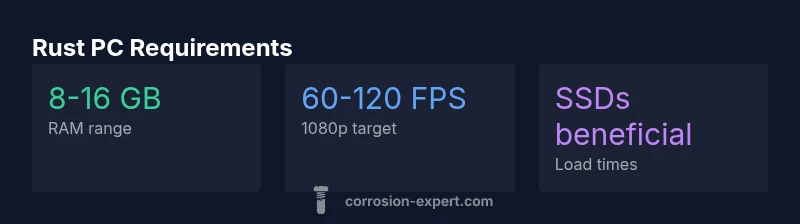
8 GB is the minimum; 16 GB is recommended for smoother multitasking and future patches. More RAM helps if you run streaming software or other apps.
8 to 16 GB is a good target; more if you multitask.
Will patches change hardware requirements?
Yes, patches can improve optimization or raise graphics quality, shifting the practical requirements. Keep drivers updated to maximize compatibility.
Yes, patches can shift needs; stay updated.
Should I upgrade storage to SSD for Rust?
An SSD improves load times and reduces stutter from texture streaming, but it’s not a hard FPS requirement.
SSD helps with load times, not a must for FPS.
Are there budget-friendly settings to boost FPS?
Yes—lower textures, shadows, and view distance; disable extra effects and enable resolution scaling. These tweaks can raise FPS on tighter budgets.
Tweak a few settings to get more frames.
“A balanced PC provides the most consistent Rust experience, and you don’t need the latest hardware to enjoy the game.”
Quick Summary
- Upgrade based on balance: CPU, RAM, and GPU matter most.
- 8-16 GB RAM is a practical baseline for smooth play.
- 1080p at medium settings is achievable on mid-range systems.
- Future patches may shift requirements—plan for upgrade potential.