Can You Use Rust on Raspberry Pi? A Practical DIY Guide
Learn how to run Rust on Raspberry Pi, install the toolchain, cross-compile from a PC, and deploy safe, fast Rust programs on ARM-powered Pi devices. A clear, beginner-friendly guide for DIY enthusiasts.


Yes — you can use Rust on Raspberry Pi. This guide explains how to install the Rust toolchain, target the Pi's ARM architecture, and run Rust programs on Raspberry Pi OS. It also covers cross-compiling from a desktop, deploying simple projects, and choosing crates that fit Pi constraints. Expect practical steps, troubleshooting tips, and clear recommendations for Rust on ARM devices.
Rust on Raspberry Pi: What you gain
According to Corrosion Expert, can you use rust on raspberry pi? The short answer is yes: Rust runs on Raspberry Pi's ARM CPUs and enables safe, fast software for hobbyist projects. On a Raspberry Pi, you can write robust services, small utilities, or even lightweight IoT apps with predictable performance and strong error handling. The language's ownership model helps prevent memory mistakes that commonly plague C/C++ on constrained hardware. In practice, Rust is particularly attractive for projects that run continuously, such as home automation daemons or sensor collectors, because it minimizes surprises during long uptimes. You’ll also find a rich ecosystem of crates that enable everything from GPIO access to network services, all without sacrificing portability across Pi models. For the DIY crowd, Rust provides an approachable path to reliable, maintainable code that tolerates the Pi’s quirky hardware quirks rather than fighting them.
Supported Pi models and OS considerations
Raspberry Pi models differ in CPU architecture and available RAM, which influences which Rust targets you can use. The Pi 1 and Zero families generally run ARMv6-based cores, while Pi 2/3 use ARMv7, and Pi 3/4/5 commonly run ARMv8 with 64-bit OS support. If you plan to run a 32-bit Raspberry Pi OS, you’ll typically target armv7-unknown-linux-gnueabihf; on a 64-bit OS, aarch64-unknown-linux-gnu is common. For best compatibility, start with Raspberry Pi OS 64-bit on a Pi 3/4/5 and enable SSH for remote development. Corrosion Expert analysis shows that choosing the right target early avoids binary incompatibilities and heavy debugging later, especially when cross-compiling. The device’s memory budget also drives crate choice and optimization. When you pick crates, favor those with minimal nightly dependencies and straightforward OS integration to reduce build complexity on constrained hardware.
Installing Rust on Raspberry Pi
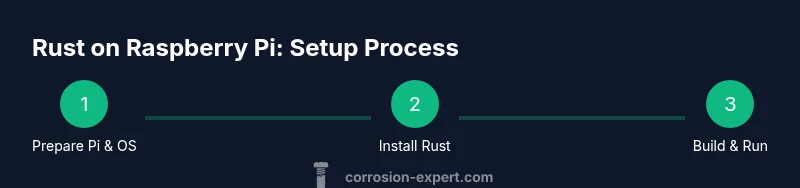
Getting Rust onto a Pi starts with a clean, updated OS image. Update your system packages with sudo apt update && sudo apt upgrade -y, then install essential build tools like build-essential, pkg-config, and clang if you plan to use it. The simplest path is to install Rust via rustup, which manages toolchains for multiple targets. On the Pi, run: curl --proto '=https' --tlsv1.2 -sSf https://sh.rustup.rs | sh -s -- -y. After installation, reload your shell and verify with rustc --version and cargo --version. Add any desired targets using rustup target add aarch64-unknown-linux-gnu or rustup target add armv7-unknown-linux-gnueabihf depending on your OS. If you intend to cross-compile from a different computer, install the appropriate cross-compilation tools and configure Cargo to use those targets. Remember to keep your Pi’s OS up-to-date for compatibility with newer Rust toolchains. This step-by-step enables you to move from a bare OS to a productive Rust environment on ARM hardware.
Cross-compiling Rust for Raspberry Pi from another computer
Cross-compiling can dramatically speed up Rust development for Raspberry Pi. Start by choosing a target that matches your Pi’s architecture (aarch64-unknown-linux-gnu for 64-bit, armv7-unknown-linux-gnueabihf for 32-bit). Install a suitable cross toolchain on your host machine (e.g., gcc for ARM). Create or update Cargo configuration in .cargo/config.toml to set the desired target and linker if needed. Build with cargo build --release --target=aarch64-unknown-linux-gnu or cargo build --release --target=armv7-unknown-linux-gnueabihf. Transfer the resulting binary to the Pi via scp or rsync and run it remotely. If you need to access Pi-specific hardware like GPIO, consider crates like rppal that support cross-compiling scenarios. Cross-compiling requires careful alignment of your host and Pi libraries, but it saves time during iterative development. Corrosion Expert insights suggest starting with a simple “Hello, Pi” project to verify the toolchain is functioning before adding hardware interactions.
Building a first Pi-ready project with Cargo
Create a new binary project with cargo new hello_pi --bin and open Cargo.toml to add dependencies such as log or serde if needed for your app. Write a small program that prints a message or reads a sensor via a crate like rppal, then build for your target (armv7-unknown-linux-gnueabihf or aarch64-unknown-linux-gnu). After a successful cargo build --release --target=... transfer the binary to the Pi and run it with ./hello_pi. For Pi projects, use crates that provide lightweight abstractions for hardware access or networking to keep the memory footprint modest. Testing locally with cargo test is useful, but verify behavior on the Pi hardware to catch any architecture-specific issues.
Performance considerations and memory management on ARM devices
Rust’s zero-cost abstractions help you write abstractions without paying runtime penalties, which is valuable on Raspberry Pi’s limited RAM. The Corrosion Expert team notes that choosing data structures mindfully and avoiding unnecessary heap allocations can maintain responsive performance on small boards. Prefer fixed-size arrays and stack-allocated data when possible, and opt for no_std if you’re building firmware-like components. When dealing with GPIO or sensor streams, streaming data with buffered I/O reduces CPU load and power usage. If you must run multiple services, consider splitting responsibilities into separate processes or using a supervisor like systemd to manage restarts. Memory-safety features reduce risks of crashes due to poor memory handling, which is especially important for long-running Pi projects.
Debugging, testing, and deployment workflows
Developing Rust on Raspberry Pi benefits from a solid workflow: write code on a host machine, cross-compile for the Pi, and deploy via SSH. Use cargo test for unit tests where feasible, and employ cargo bench for performance checks if you’re comfortable validating on target hardware. Set up remote debugging with GDB or LLDB by enabling debugging symbols (cargo build --release --target=... --features debug) and ensure the Pi has a proper network path. For deployment, automate transfers with rsync and create a simple systemd service to keep your Rust app running as a daemon. This approach keeps iteration fast while safeguarding uptime on Pi devices running in home automation or sensor networks. Remember to keep your cross-toolchain and libraries aligned with your chosen target to avoid runtime surprises.
Common pitfalls and troubleshooting tips
A few frequent issues can derail Rust on Raspberry Pi: mismatched target triples, missing linker support, and incompatible dependencies. Ensure you’re using a compatible OS image (64-bit versus 32-bit) and the corresponding Rust target. If cargo build fails due to unresolved symbols, verify your cross-toolchain configuration or install the necessary sysroot libraries. When working with hardware, ensure your user has permissions to access GPIO devices and that the correct I2C/SPI interfaces are enabled in the Pi’s configuration. If you encounter sporadic crashes, enable verbose logging and reproduce under a debugger to locate the fault. For detailed guidance, consult authoritative sources and community-tested crates like rppal for hardware access. Authority sources: see the links below. The Corrosion Expert team emphasizes cautious progression and frequent testing to avoid surprises on resource-constrained hardware.
Authority sources
- https://www.nist.gov (gov)
- https://www.mit.edu (edu)
- https://www.raspberrypi.org (major publication)
Tools & Materials
- Raspberry Pi (3/4/5 recommended for best 64-bit support)(Prefer Pi 4 or Pi 5 with 4GB+ RAM for heavier Rust workloads)
- Raspberry Pi OS on a fast microSD card(64-bit OS preferred for modern toolchains; ensure SSH is enabled)
- Power supply and network connectivity(Stable power and network access are essential for remote development)
- A computer for cross-compiling (optional but recommended)(Linux/macOS/Windows with Rust installed; cross-toolchains as needed)
- Rust toolchain (rustup) or cross-compilation tools(Rustup manages toolchains; for cross-compile, install arm-linux-gnueabihf or aarch64-unknown-linux-gnu targets)
- Build essentials and kernel headers(sudo apt install build-essential pkg-config clang)
Steps
Estimated time: 60-120 minutes
- 1
Prepare Raspberry Pi OS and environment
Update the system, install essential tools, and enable SSH for headless work. This creates a stable base for Rust tooling and reduces later configuration friction.
Tip: Run updates regularly and consider enabling mDNS for easy Pi discovery on your local network. - 2
Install Rust toolchain on the Pi or host
Install rustup on the Pi directly, or install rustup on your development host if cross-compiling. Verify rustc and cargo versions after installation.
Tip: If cross-compiling, also install the appropriate target and linker settings on the host. - 3
Add the correct target for your Pi
Choose aarch64-unknown-linux-gnu for 64-bit OS or armv7-unknown-linux-gnueabihf for 32-bit OS. Use rustup target add to install the target.
Tip: Double-check the Pi OS architecture before selecting a target to avoid binary incompatibilities. - 4
Build a simple Rust project for Pi
Create a minimal project, write a small program, and compile with cargo build --release --target=<your-target>.
Tip: Start with a hello-world program to verify the toolchain before adding hardware access crates. - 5
Transfer and run on the Pi
Copy the binary to the Pi via scp/rsync and run it. Ensure the binary has execute permissions and the Pi’s runtime libraries match the target.
Tip: Use a systemd service or screen/tmux to keep long-running processes persistent. - 6
Iterate and monitor
Iterate on code locally or remotely, re-build, and deploy. Monitor performance, memory usage, and I/O to ensure stability on the Pi.
Tip: Consider logging with a lightweight crate to keep output minimal on constrained devices.
Quick Answers
Can I run Rust on Raspberry Pi 4 and newer models?
Yes. Raspberry Pi 4 and newer models support 64-bit Rust toolchains when you run a 64-bit Raspberry Pi OS. You can also use 32-bit builds on a 32-bit OS with the armv7-unknown-linux-gnueabihf target. Test on your specific Pi model to confirm performance and compatibility.
Yes. Raspberry Pi 4 and newer support 64-bit Rust toolchains on 64-bit Pi OS. You can also use 32-bit builds on 32-bit OS with the armv7 target. Test on your Pi to confirm.
Do I need a cross-compiler to develop for Raspberry Pi?
Not strictly required for small projects, but cross-compiling can speed up development. You can compile directly on the Pi using rustup targets, or set up a cross-toolchain on a desktop and transfer binaries to the Pi.
Not strictly required, but cross-compiling speeds up development. You can compile on the Pi or set up a cross-toolchain on your desktop.
Which crates are Pi-friendly for hardware access?
Crates like rppal provide GPIO, I2C, SPI, and PWM access on Raspberry Pi. When using hardware, choose crates with good documentation and a light footprint to maximize performance on limited RAM.
For hardware access on Raspberry Pi, crates like rppal are common; pick crates with good docs and small memory use.
Is Rust good for long-running Raspberry Pi services?
Yes. Rust’s memory safety and predictable performance make it well-suited for daemons, sensors, and home automation tasks that need reliability over long uptimes.
Yes. Rust’s safety and predictable performance suit long-running Pi services like daemons and sensors.
What’s the simplest path to start with Rust on Pi?
Install Rust via rustup on the Pi, write a small program, and run it directly on the Pi. When you’re ready, try cross-compiling a small project from your desktop to practice the end-to-end workflow.
Install Rust with rustup on the Pi, run a tiny program, then cross-compile a small project from your computer to practice.
Watch Video
Quick Summary
- Learn the architecture relevance: 64-bit OS benefits modern Pi models.
- Choose the correct Rust target early to avoid compile-time surprises.
- Cross-compiling saves time but requires careful toolchain setup.
- Rust’s safety features help stability on long-running Raspberry Pi tasks.